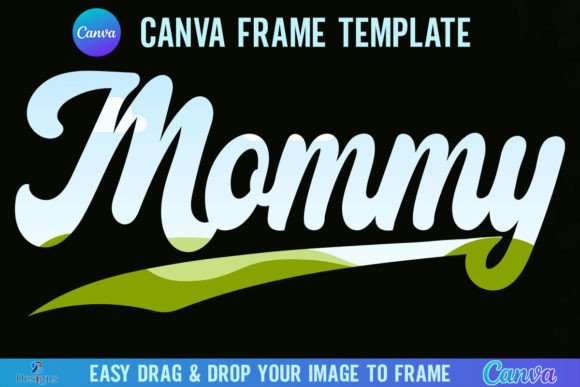
Mommy Canva Frame Template Retro Design
First Impressions: Warm, Nostalgic, and Ready for Stitching
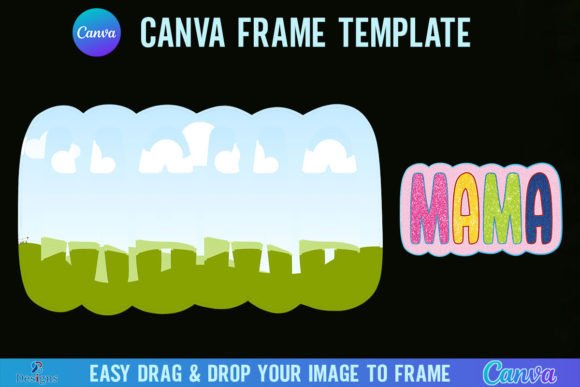
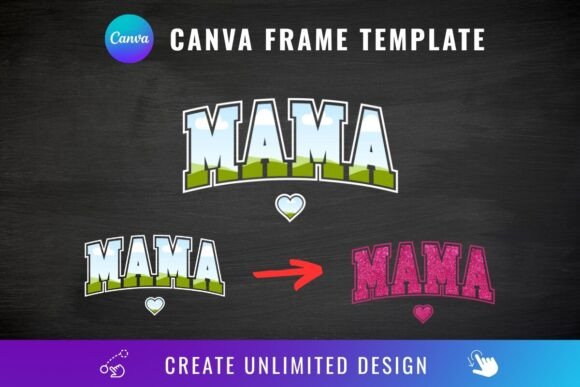
When I opened the Mommy Canva Frame Template Retro Design, what struck me first wasn’t just the color palette—it was the *intention*. This isn’t a generic “mom” graphic slapped onto a circle. It’s a thoughtfully composed frame with soft curves, subtle floral accents, and hand-drawn-style lettering that leans into 70s-inspired warmth without tipping into kitsch. The layout feels balanced—not too dense, not too sparse—and the negative space around the central phrase (“Mommy”) gives breathing room for embroidery to shine. As an embroidery designer who’s stitched hundreds of personalized gifts, I immediately pictured it on a linen tea towel, a cotton baby onesie, or the front pocket of a canvas tote bag. It doesn’t scream “trendy”—it whispers “thoughtful.” And that matters when you’re building trust with customers.
How It Translates to Real Embroidery Projects
I tested the Mommy Canva Frame Template Retro Design as part of a small-batch holiday collection: custom-embroidered sweatshirts for local moms’ groups. The frame held up beautifully at 4.5" wide on midweight fleece—clean satin stitch borders, legible script, and no crowding in the corners. Because it’s built as a Canva template (not a pre-digitized embroidery file), it’s meant to be adapted—not dropped in and stitched raw. That’s actually a strength: it gives you control over line weight, spacing, and scale before digitizing. For example, I resized it slightly for a baby cap (3.2") and added a light fill stitch behind the lettering to prevent fabric show-through. On a pillow cover? Perfect. On a curved surface like a baseball cap? I’d simplify the outer floral motif first—those delicate tendrils can distort if not adjusted for stretch and contour.
Where It Shines—and Where to Proceed With Care
- Tote bag design: Ideal—fabric is stable, hoop size is generous, and the retro frame reads clearly from a distance.
- Baby embroidery: Works well on onesies and burp cloths, but avoid tight corners near necklines unless you reduce detail density.
- Sweatshirt embroidery: Great for chest placement; pair with a medium-weight cutaway stabilizer to keep the frame crisp through washes.
- Embroidered patch: Feasible, but check that inner flourishes don’t become lost in dense stitching—some elements may need manual cleanup in your digitizing software.
- Dark fabric: Test thread colors carefully—the retro palette relies on contrast; a charcoal grey background needs cream or oatmeal thread, not stark white.
- Thin or stretchy fabric: Not plug-and-play. You’ll need to adjust underlay, reduce stitch density, and add tear-away + cutaway combo stabilizer.
What It Adds to Your Handmade Product—and What It Doesn’t Promise
The Mommy Canva Frame Template Retro Design elevates perceived value without demanding advanced digitizing skills. Its charm lies in restraint: no excessive scrollwork, no micro-detail that vanishes after washing, no trendy font that dates next season. That makes it durable for Etsy sellers building long-term shop identity—or craft fair vendors who want repeat buyers recognizing their “vibe.” But let’s be clear: this is a graphics asset, not a machine embroidery design. You’ll still need to digitize it properly, choose appropriate stitch types (satin for borders, fill for solid areas, running stitch for fine lines), and test every variation. A rushed transfer leads to puckering, skipped stitches, or muddled lettering—especially in the curved “o” shapes. Don’t skip the scrap-fabric test. Ever.
Practical Notes Every Embroidery Designer Should Keep Handy
- Always unzip the file and open the PDF link first—this is your source for the editable Canva template, not a ready-to-stitch embroidery file.
- Before digitizing, review the original vector or high-res PNG in Canva: zoom in on corners and letter junctions—look for unintentional overlaps or thin strokes that won’t hold up in stitch.
- Check how it renders in black and white mockups. If the shape loses definition without color, it may need bolder outlines for embroidery clarity.
- Compare performance on light vs. dark fabric backgrounds in your design software—contrast affects perceived thickness and readability.
- Use proper stabilizer: lightweight cutaway for knits, tear-away for stable wovens, and fused + cutaway for textured fabrics like terry cloth.
- Confirm licensing terms before selling finished products or reselling digital adaptations—this item includes access to Canva templates, not blanket commercial rights.
- If offering this as part of a craft business bundle, pair it with simple digitizing tips or a recommended stitch-density range (e.g., “keep fill stitch density below 18% for breathable baby items”).
Fitting Into Your Creative Workflow—Not Just Your Next Project
What makes the Mommy Canva Frame Template Retro Design quietly powerful is how easily it integrates across touchpoints. Use it as a consistent visual anchor: stitch it on a gift set (tote + tea towel + onesie), feature it in your printable mockups for Etsy listings, adapt it for social media banners, or layer it into a nursery-themed digital product pack. It’s flexible enough for personalization—swap “Mommy” for “Mama,” “Nana,” or “Grandma” without breaking the rhythm—but grounded enough to feel intentional, not generic. For small shop owners, that consistency builds recognition. For hobbyists, it’s a joyful starting point—not a creative constraint. And for anyone who’s ever spent hours tweaking kerning only to watch it disappear under thread? This template respects your time *and* your craft.
Final Thought: Design With Purpose, Stitch With Confidence
This isn’t just another “mom” graphic. The Mommy Canva Frame Template Retro Design invites intentionality—into how you digitize, where you place it, which fabric you choose, and who you imagine holding the finished product. Whether it becomes a cherished baby gift, a boutique apron, or the signature detail on your best-selling tote, its quiet confidence comes from simplicity done well. Just remember: great embroidery starts before the needle drops. Open Canva. Adjust thoughtfully. Test honestly. Then stitch like you mean it.